
Stop googling the same keyboard shortcut twice.
Press ⌥⌘K. See your keyboard shortcuts for the Mac app you're in. No searching, no tab-switching, no googling.

⌥
⌘
K
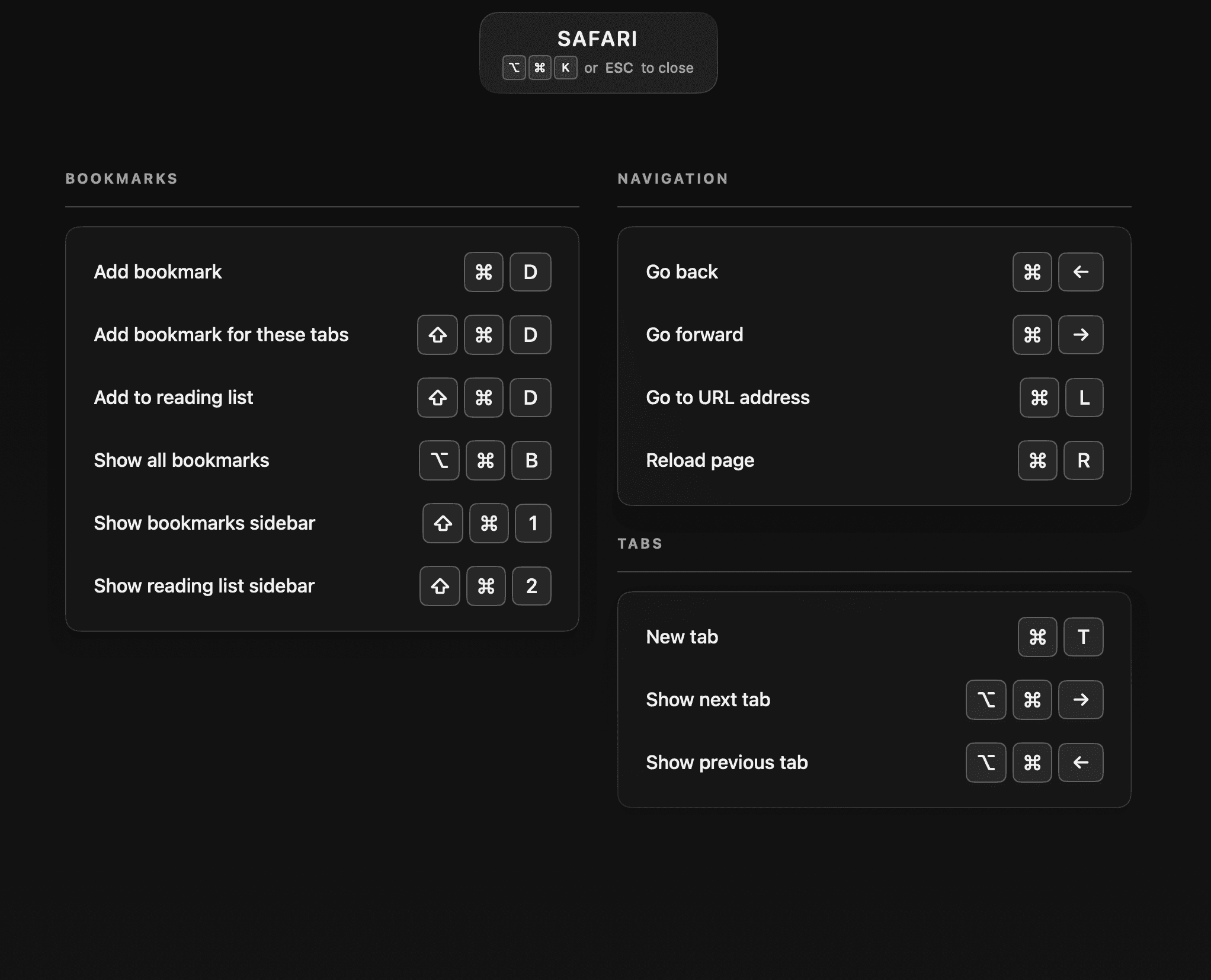
Your keyboard shortcuts for the app you're in.
Press ⌥⌘K. Your keyboard shortcuts for the active Mac app, full-screen. Look it up without breaking flow.
Finally. Shortcuts organized the way you organize everything else.
Custom categories per app. Add, rename, reorder - until it's exactly right.
Practice until it's muscle memory.
A quiz built from your own shortcuts. Track your streak. Keep going until you stop reaching for the mouse.
A keyboard shortcut manager for Mac, built for recall.
- Instant overlay - one hotkey reveals keyboard shortcuts for the active app.
- Save keyboard shortcuts for any macOS app.
- Capture keyboard shortcuts just by pressing them.
- Multi-step and custom shortcut sequences.
- Organize keyboard shortcuts by app with custom categories.
- Practice mode to drill shortcuts into muscle memory.
- Import pre-built shortcut libraries.
- VS Code, Xcode, Figma, Safari & more included.
- iCloud sync across all your Macs.
- Menu bar native - no dock clutter.
- Configurable global hotkey.
- Unlimited apps.Pro
Questions.
Getting started
Features & pricing
Coming from another app?
Your keyboard shortcuts. One hotkey away.
Free to download. Up to 5 Mac apps on the free tier, no subscription.

 Requires macOS 15.0 or later